Science Fiction in the Meeting Space

Carl Lukings • July 27, 2020

Redefining the microphone for the meeting space

Captain Kirk had his handheld communicator. Captain Picard wore his communicator on his chest. But neither captain could call back to the ship without having a mic close at hand. The ability to be clearly heard on a call or video conference without a mic being close to the "talker" has been far fetched sci-fi for years. But not now.


With a building requirement for video conferencing and the quest to remove all cables and distractions from the meeting space, microphone manufacturers have been applying science and engineering to meet sci-fi requirements. A handful of innovators like Shure have developed mics that don't look like traditional mics or act like traditional mics.


These microphones are hidden, looking like ceiling tiles or mounted on the wall looking almost like sound bars under a TV (they're not sound bars!)  But everything we know about microphone technology would suggest that having a mic far away from the source is a recipe for disaster.

Mounting a microphone far away from any source raises all kinds of issues.

If you mount a "normal" mic, dynamic or condenser, at a distance from the source you need to turn up the mic to get a good volume input. But the byproduct is an increased noise floor. This means you'll hear other people in the room, the air conditioner, the fan on the projector, rustling of paper, and countless other distractions. This can sound like low frequency rumble, a background hiss and often increased echo.


Sure, you can try to EQ out this frequency and that frequency and maybe throw in a piece of gear or two to try to control the issues but often the resulting sound is thin and it doesn't sound right. We've all been on phone calls with people on speaker phone and it sounds terrible. Like they're stuck in that tube TV Buck Rogers premiered on in the 70's.

If only we could steer the microphone directly to a person, ignoring all the other sound in the room.


And then, have it point at another person when they speak.
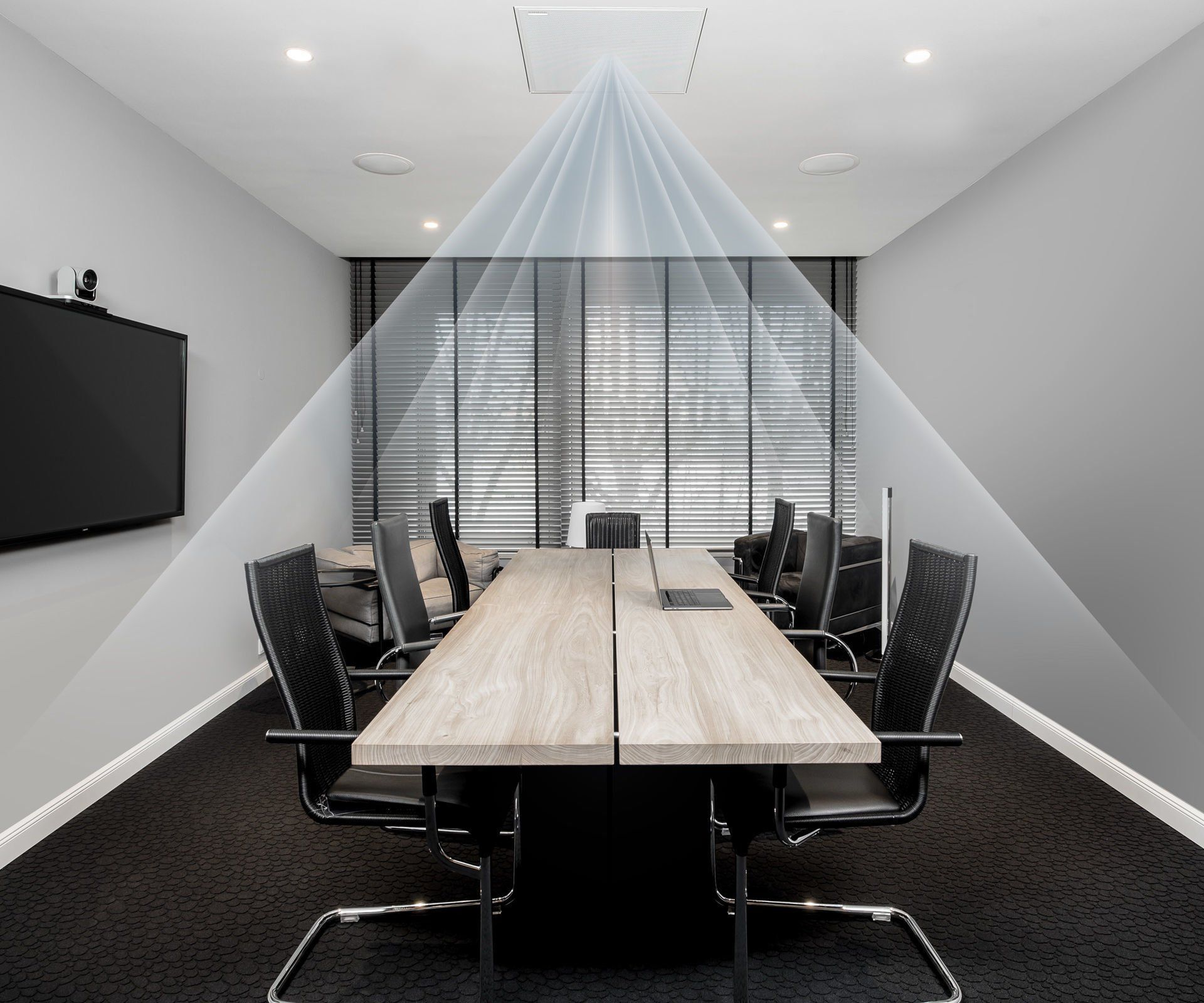
The MXA910 from Shure allows for one 2'x2' microphone array to cover a room with up to eight programmable, distinct areas of coverage. Through internal processing the microphone sends a Dante or AES67 signal to your video conferencing or teleconferencing system. 


The MXA310 works as a simpler desktop model with predetermined coverage patterns and the new MXA710 can be wall mounted or suspended above an area with flexible coverage patterns for different room applications.


These mics cancel out the background noise and reflections allowing for only the intended sounds to be picked up. There's a lot of technology behind the scenes but the simplicity of operation is the true genius.
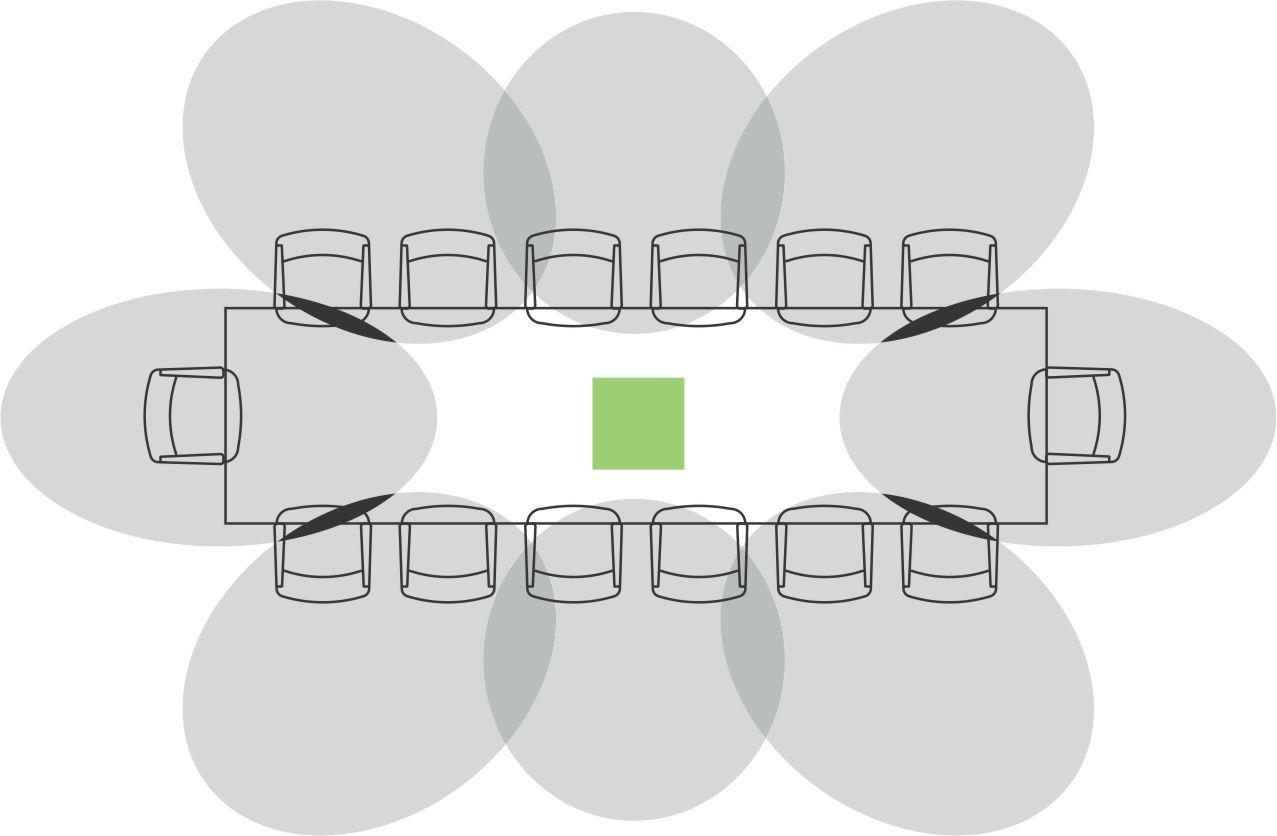
Today, when it comes to microphones 'science fiction' is now 'science fact'. 


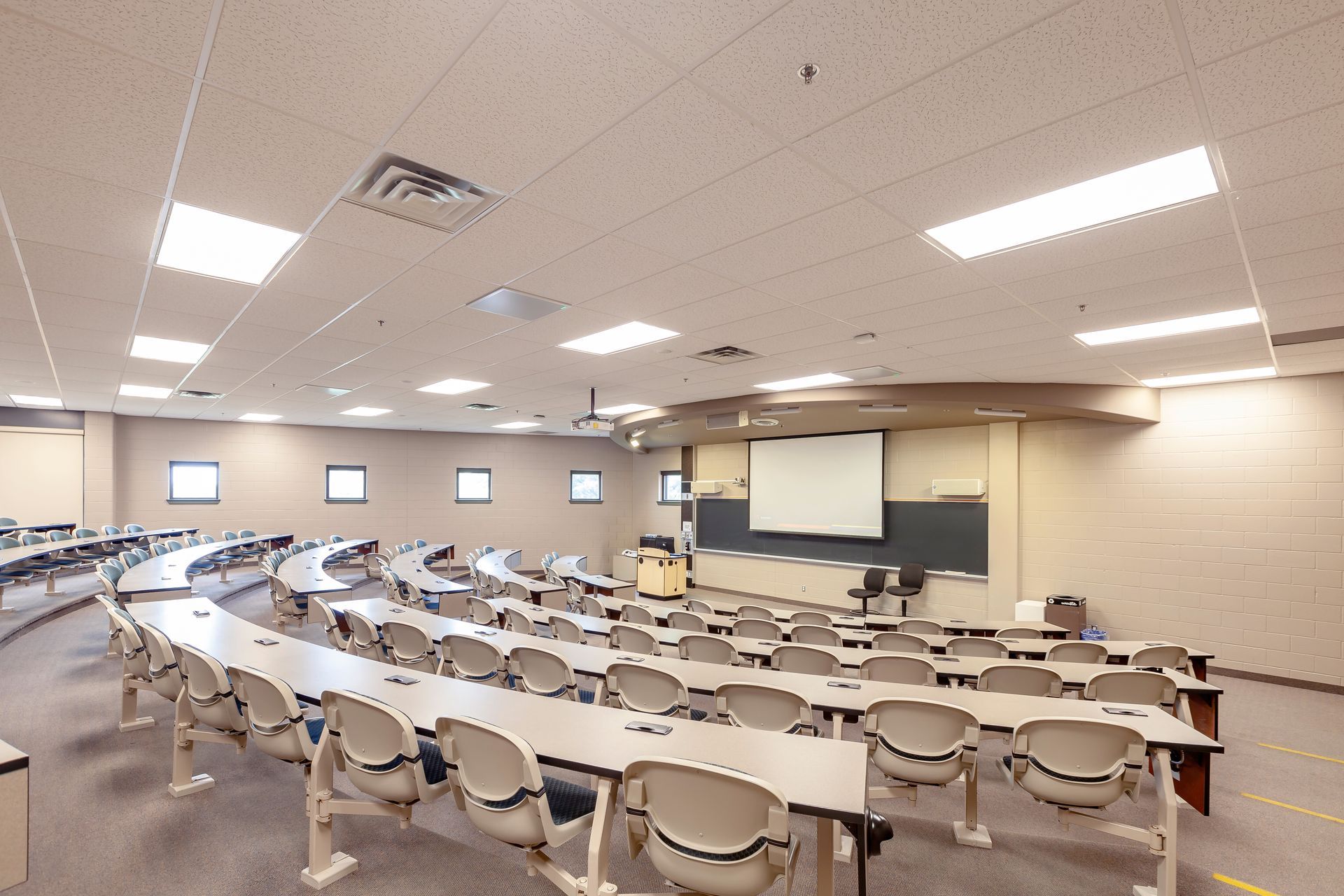
For a demonstration on how Shure's MX Advance series of steerable microphones may work for your meeting space or teaching environment contact Horizon Solutions sales.
sales@horizonsolutions.net
Audio mixing console in a dark studio with monitors showing a “No Signal” warning on stage
By Jordan Elgie • July 22, 2026
If you’ve spent any time behind a console, in a booth, or backstage, you know this feeling well. The lights stop responding. A video signal refuses to appear where it’s supposed to. A strange hum suddenly shows up in the PA five minutes before doors. Troubleshooting is one of those universal skills in audio, lighting, and video — no matter your role, your venue, or your experience level. And while every system is different, the way you approach a problem matters just as much, or possibly even more, than tools you have in front of you. Recently, we surveyed 15 industry professionals across live sound, lighting, broadcast, and theatre. Different backgrounds, different disciplines — but their advice lined up almost unanimously: When you’re troubleshooting a problem, follow your signal path and only change one thing at a time. It sounds almost too simple. But this mindset is what separates efficient problem-solving from panic-driven cable swapping. Follow the Signal Path Every technical system — audio, lighting, or video — follows a logical signal path. And when something goes wrong, this is where disciplined troubleshooting really matters. As you move through that signal path, the rule stays the same the entire time: only change one thing at a time. Not one change per device. One change — then test. Start at the beginning of the signal chain and work forward step by step. At each point, ask yourself two very specific sets of questions: Do I have signal here? And just as important: is it the right signal? Do I have power here? And again: is it the right power? Those questions alone will eliminate a huge amount of guesswork. Once you’ve answered them, you can then ask the next burning question: Where exactly does the system stop behaving the way I expect? That’s how you narrow down the problem instead of chasing ghosts. When you make a change — swap a cable, adjust a setting, move a patch — test it. If it didn’t fix the issue, change it back before moving on. This keeps your system in a known state and prevents you from stacking changes on top of each other. Working this way might feel slower in the moment, but it’s dramatically faster in the long run. You stay oriented, you stay calm, and you always know what actually helped — and what didn’t. One Change. Then Test. Here’s the part people know… but don’t always follow under pressure. Change one thing. One cable. One fixture. One channel. One setting. Then test. If it didn’t fix the issue, change it back. Only then do you move on to the next change. Why is this so important? Because changing five things at once might feel faster — but it guarantees confusion. If the problem suddenly goes away, you won’t know which change actually solved it. And if it gets worse, you won’t know what caused that either. Systematic troubleshooting gives you clarity. It turns a stressful moment into a controlled process.
By Samadhi Perera • June 9, 2026
Step 1: Plan Your Cable Paths Before you start plugging things in, take a moment to plan your routes. Run cables in straight lines where possible, and try to avoid high-traffic areas. Running your cables along walls, and the backs of set pieces or risers often make for cleaner, safer paths. Even in the best setups, it’s not always possible to avoid crossing where someone might walk. That’s where gaffer’s tape earns its reputation as a tech’s best friend.
Digital audio mixing console with sliders, knobs, and illuminated touchscreen displays
By Jordan Elgie • April 15, 2026
Learn how to set mic gain properly for cleaner audio, less feedback, and more consistent sound in live events, worship, and productions.
By Carl Lukings • November 19, 2024
When it comes to procurement for professional audio, lighting, and video services, is it possible to balance the “best price” and “best service”? We think it is! Below are some insights that may help you navigate this challenge. The Challenge of Price-Driven Procurement Many municipalities and organizations are required to purchase from the vendor offering the lowest price. But is this approach always the best? As taxpayers, we want assurance that public money is being spent appropriately, and that there’s no room for favouritism or backdoor deals. The intent is good, but in practice, this system often results in a “bare bones” solution. The theory behind it is to guard against preferential treatment or collusion, ensuring that public funds are used responsibly. However, focusing solely on the lowest price can often result in solutions that are less than ideal.
By Jordan Elgie • November 19, 2024
Essential Tips to Enhance Your Audio Experience – From Training to Equipment Upgrades
By Duane Myers • October 8, 2024
Upgrade Your School's Audio and Stage Systems for a Superior Experience
By David Brown • July 29, 2020
It certainly has been different times dancing on Zoom for over 2 months. Now we are coming up on a new dance season. Everybody has different levels of confidence in returning to activities and that is perfectly fine. Some kids can not wait to get back in the studio. Some want to continue but would like to do so from home. Of course, depending on class size there may be a rotation where you spend two weeks in the studio and one week at home. Maybe you will dance in the studio like normal (with new physical distancing guidelines) but want to practice at home. With these new situations Rosco has made a kit version of their popular dance floor called the Marley Mat . The floor that is used in the Rosco Marley Mat is a lighter weight version of Adagio floor that we use in our studios. That makes it perfect for dancing at home for all types of dance including ballet, jazz, acro, lyrical and even tap . It will have the same feel and “speed” of the studio floor. Being a lighter weight material allows the floor to be rolled up when not in use and unrolled and used immediately. The Marley Mat kit can be purchased for $ 149.00 (price current as of July 2020) plus shipping and tax. The package comes with a 5’ 3” by 6’ section of black or grey floor, and a roll of tape that would allow you to lay down and tape the floor 5 times. Additional tape can be purchased. You can find and purchase the kit from StageStore at the following link. StageStore is a great supplier in Ontario of theatrical type products. https://www.stagestore.ca/product/rosco-marley-mat-kit/
By Carl Lukings • June 9, 2020
Tech tips that can help your congregation make the transition back to church successfully
More Posts >